
AI In Business12 Best AI Prospecting Tools for Small Sales Teams
The short answer
The best AI prospecting tools for small sales teams are the ones that combine accurate contact data, simple outreach workflows and a price that fits a small team. Strong options include Apollo.io, Lusha and Instantly.ai, each suited to a different mix of data needs and outreach volume. Choose by team size, budget and whether you need a full sales platform or a focused tool, and test data quality on your own target market during any trial.
If you run a small sales team, you already know that finding good prospects takes more time than most people expect. This guide covers 12 best AI prospecting tools for small sales teams, selected for contact data quality, ease of setup and pricing that a team of a few reps can justify.
This guide is based on published specifications, vendors' own claims (which we attribute to them) and what buyers commonly report, not on our own testing.
Every tool on the list had to offer contact or company data, some form of AI assistance for finding or ranking prospects, and a plan or trial a small team could realistically start with. We left out tools aimed mainly at large enterprises.
Let's dive in.
AI prospecting tools at a glance
| Option | Best for | Key feature | Price as stated |
|---|---|---|---|
| Apollo.io | Small teams starting out | Contact database with sequencing and dialer | Free tier with limited monthly credits |
| Lusha | Solo sellers or two-person teams | Browser extension for verified contacts | Not stated |
| Instantly.ai | High-volume outbound campaigns | Unlimited sending accounts and email warm-up | Not stated |
| ZoomInfo | Mid-market teams needing deep intelligence | Intent signals and org charts | Annual contract priced by seat and data volume |
| LinkedIn Sales Navigator | Relationship-driven selling | Advanced LinkedIn filters and activity alerts | Not stated |
| Cognism | Teams selling into Europe or regulated markets | Phone-verified data focused on compliance | Not stated |
| LeadIQ | Manual prospect research | Captures contacts while researching | Not stated |
| Clay | Teams with specific targeting rules | Combines many data sources into custom lists | Not stated |
AI in Business Calculator: Hours Your Practice Could Reclaim Each Week
A closer look at each
-
Apollo.io: A widely known all-in-one platform that many small sales teams start with, combining a large contact database, email sequencing and a built-in dialer in one tool. Its free tier allows a limited number of monthly credits, which makes it a sensible way for a team to test its data quality before committing to a paid plan.
-
Lusha: A lightweight way to find verified business contact details quickly, usually through a browser extension that works alongside LinkedIn and your CRM. It suits a solo seller or a two-person team that needs a few verified emails and phone numbers per day rather than a full prospecting suite with heavy setup.
-
Instantly.ai: A cold email platform built for teams running high-volume outbound campaigns, with features such as unlimited sending accounts, email warm-up and campaign rotation. It is best for teams whose main job is outreach at scale, since it does less of the contact-finding work that tools like Apollo or Lusha handle.
-
ZoomInfo: A large data platform that many mid-market teams use for deep company and contact intelligence, including intent signals and org charts. Its contracts are typically annual and priced by seat and data volume, so a small team should compare the quoted terms carefully and confirm which features are included before signing.
-
LinkedIn Sales Navigator: The standard tool for searching and tracking people on LinkedIn, with advanced filters for role, company size, region and recent activity. It is most useful for relationship-driven selling, where a rep wants to see when a prospect changes jobs or posts something relevant and then reach out with context.
-
Cognism: A data provider that emphasises compliance and phone-verified contact data, with a focus on regional rules such as GDPR and Do Not Call lists. Teams selling into Europe or heavily regulated markets often choose it because its data is positioned around consent and verification, though buyers should confirm current coverage for their specific territories.
-
LeadIQ: LeadIQ is built to capture contact data while your team researches, so you are not copying names and emails between tabs. It works as a browser extension alongside LinkedIn and pushes details into a CRM or spreadsheet. Best suited to a small sales team doing manual prospect research who wants a tidy, organised lead list without extra data-entry time.
-
Clay: Clay pulls prospect data from many sources and lets you combine them into one custom list, with filters and enrichment steps you set up yourself. Its flexibility suits teams with specific targeting rules, such as a list of mid-sized logistics firms in a named region. It has a learning curve, so plan a short setup period before relying on it.
-
Seamless.ai: Seamless.ai is a search tool for finding contacts by role, company and industry. The vendor claims its data updates in real time, but that is a vendor claim, and buyers commonly recommend verifying emails before a campaign. Useful for a small team building fresh lists quickly, provided each contact is checked before outreach.
-
Reply.io: Reply.io runs multi-step outreach sequences that combine email and LinkedIn touches, with AI features for drafting messages. You can schedule follow-ups so each prospect gets a consistent, timed series. A good fit for a team that wants one platform handling email and LinkedIn contact without juggling separate tools.
-
Salesforce Sales Cloud: Sales Cloud is a full CRM with prospecting features, including lead management and sales workflows. It makes the most sense for teams already invested in Salesforce, where lead data, reporting and integrations already live. For a team starting fresh, the setup and licensing cost can outweigh the prospecting benefit.
-
HubSpot Sales Hub: HubSpot Sales Hub is a CRM-first option that includes prospecting tools and email sequences, with a free tier available. Its free plan lets a small team test contact tracking and basic outreach before paying for more. A practical choice for teams that want the CRM and outreach in one place and plan to grow into paid features later.
Frequently asked questions
What should a small sales team look for in an AI prospecting tool?
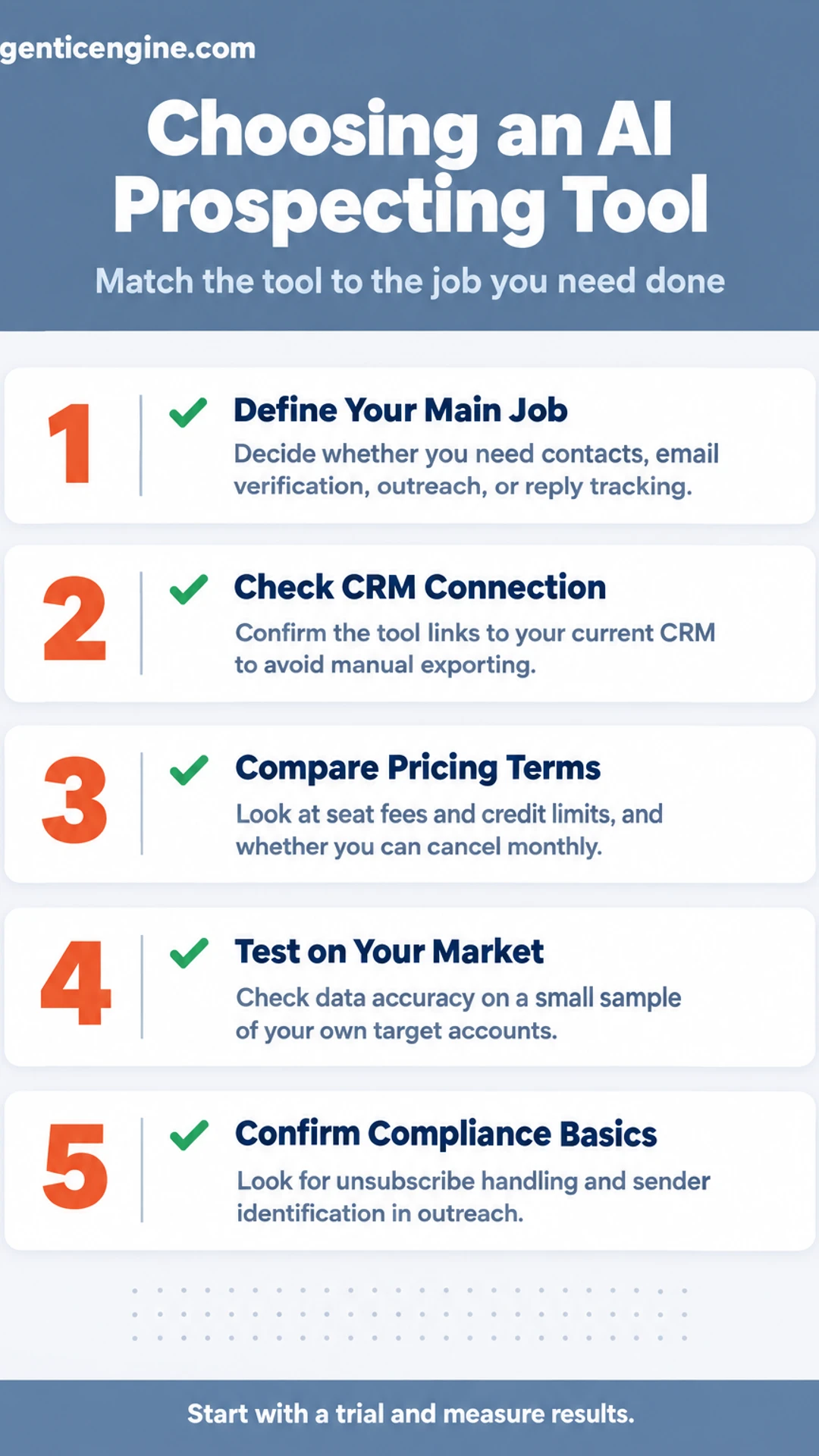
Start with the job you need done: finding contacts, verifying email addresses, writing outreach, or tracking replies. Check that the tool connects to the CRM you already use, because manual exporting wipes out much of the time saved. Look at how many seats are priced in, and whether you can cancel monthly or are locked into an annual contract.
Are AI prospecting tools accurate enough to replace manual research?
They usually cut the first pass of research, not the judgment behind it. Contact data goes stale, job titles change, and AI-written messages can sound generic. Vendors commonly claim high accuracy, so check those claims against a small sample of your own target accounts before committing a full budget.
How much do AI prospecting tools typically cost for a small team?
Pricing varies widely and vendors change it often, so confirm the current figures on each vendor's pricing page. Many charge per user per month, and some add credit-based fees for contact lookups or emails sent. Factor in those usage limits, not just the headline seat price.
Do I need technical skills to set up an AI prospecting tool?
Most tools are built for sales staff rather than developers, and basic setup is usually a matter of connecting your email and CRM and defining your ideal customer profile. Expect a few hours of configuration and a short trial period to tune targeting. Tools that require custom integrations take more time and may need outside help.
How do I know whether an AI prospecting tool is compliant with email rules?
Check whether the tool includes unsubscribe handling, sender identification, and opt-out tracking, since these are the basics of commercial email rules such as the CAN-SPAM Act in the United States. Ask the vendor how it sources contact data and whether it respects regional privacy laws. Compliance remains your responsibility, so review the vendor's documentation and confirm with your own advisor if you are unsure.
Wrapping up
Twelve tools, one decision. You now have a clear list of twelve options to compare.
Match the tool to the job you need done first, whether that is finding contacts, writing outreach, or tracking replies.
Which one will you try first? Or is there a tool you think I missed?
Share this: X · LinkedIn · Facebook
Summarize with AI: ChatGPT · Claude · Perplexity