AI In BusinessAI Operations Automation: What It Is and How Routine Tasks Get Automated
The short answer
AI operations automation uses artificial intelligence to carry out routine business tasks, such as sorting requests, routing documents, filling in records and drafting reports, with less manual handling. Unlike simple rule-based automation, it can interpret unstructured input like emails or free text and make limited decisions, while people still review exceptions and approve sensitive actions.
Key points covered in this guide:
- The short answer: what AI operations automation is, and how it differs from rule-based workflows.
- How it works: the steps from a raw request to a finished task, and where a person still checks the work.
- Why it matters: the time and error costs of handling the same tasks by hand every week.
- Our take: where to start, and which tasks are poor candidates for automation.
If you run a small business or an agency, you probably know the feeling of losing the afternoon to inbox triage, copying details from one form into a spreadsheet, or rewriting the same weekly update for the third client. These tasks are necessary, but they rarely need your judgment. Handing the repetitive parts to AI can give that time back, and it can do so without you giving up control of the work that matters.
This guide draws on published vendor specifications and what buyers report, not on our own testing. We will walk through the short answer first, then how these systems handle a task from start to finish, why the change is worth making, and our view on where to begin. Along the way we point you to related pages in this hub, including guides on starting with AI in 30 days and automating business reports.
AI Automation ROI Calculator for Businesses
The Short Answer: What AI Operations Automation Means
AI operations automation is the use of AI to handle repeatable operational work from start to finish. Instead of only triggering a step when a condition is met, the system reads the request, pulls the information it needs, makes the routine decision, and completes the task. Think of invoice matching, order status updates, ticket routing, or onboarding paperwork. The goal is that the task gets done without someone manually moving it through each stage.
It helps to separate this from the automation many businesses already use. Rule-based automation runs on fixed if-then logic. If a form is submitted, send an email. If a field equals "urgent," move the item to the top of the queue. This works well when inputs are clean and predictable, and it breaks the moment something unexpected arrives.
AI-driven workflows handle the messier cases. They can read a free-text email, work out what the customer actually wants, and decide which category it belongs in. They cope with inconsistent spreadsheets, slightly different wording, and judgment calls that a rule would miss.
A useful way to decide where each fits:
- Rule-based automation suits steps with fixed inputs and predictable outcomes.
- AI-driven workflows suit steps with varied language, incomplete data, or decisions that need interpretation.
- Human oversight still belongs in any well-designed setup, especially for exceptions, high-value decisions, and periodic checks that the output is accurate.
Automating a task does not mean removing people from it. It means people spend their time on the cases that need them.
Rule-based automation compared with AI-driven workflows
| Approach | Best suited to | Weak point |
|---|---|---|
| Rule-based automation | Fixed inputs and predictable outcomes | Breaks on unexpected input |
| AI-driven workflows | Varied language and incomplete data | Needs review of uncertain cases |
| Human oversight | Exceptions and high-value decisions | Adds review time |
How It Works: From Trigger to Outcome
Most routine operations automation follows the same four stages, whatever tool you use. Once you see them, it becomes much easier to judge what is worth automating in your own business.
Trigger. Something happens that starts the process, such as a new email arriving in your support inbox.
Interpretation. The system reads the content and works out what it is about. An AI model can recognize that a message is a billing question, a bug report or a request for a refund, even when the wording varies.
Decision. Based on that reading, the system chooses a path: tag the message, assign it to a team, or set a priority.
Action. The system carries out the step. It might assign the ticket, log it in a tracker, and notify the person who owns it.
Here is how this plays out with an inbound support email. A customer writes that a payment failed twice. The system classifies it as billing, tags it "urgent," assigns it to your finance contact, and logs it in your tracker with a timestamp. The team does not need to open the inbox and sort the message by hand first.
Where a human fits. Automation handles the clear cases well. Edge cases need a person. If the classifier's confidence is low, or the email mentions legal action or a long-standing customer, route it to a human review step before any action runs. Those few minutes of review protect your customer relationships and keep the automation honest about what it does not know.
Which Routine Tasks Are Good Candidates
Not every repetitive task is worth handing to an AI system first. Strong starting points tend to share a few traits, and it helps to check for them before you build anything.
Look for high-volume, repetitive work with clear inputs and outputs. Think of data entry from invoices into your accounting system, routing incoming documents to the right person, or posting status updates when a project moves from one stage to the next. Work that repeats often and follows the same pattern each time is usually a better candidate than occasional, irregular tasks. You can describe what goes in and what should come out, and anyone on your team could check the result.
Avoid starting with work that depends on undocumented judgment. If the right answer lives in one senior person's head, automation will either fail quietly or produce confident mistakes. The same goes for rare, high-stakes decisions, such as approving an unusual refund or deciding whether to take on a difficult client. Write down how the decision is made first. If you cannot, leave that task with a human.
Check that the data is accessible and reasonably clean. An automation is only as good as the information it reads. Before you commit, ask:
- Can the system reach the data without someone copying it by hand?
- Are the fields consistent, or does the same thing appear under five different names?
- Are there obvious gaps, duplicates or outdated records?
If the answer to any of these is a worry, spend a short while tidying the source before automating the task on top of it.
Start small with one task that scores well on all three checks. Once it runs reliably, you will have a clearer sense of what to tackle next. For a broader view of what these tools can handle, see What AI Can Actually Do for a Small Business Today.
Why It Matters for Small Businesses and Agencies
Routine operations work, such as copying data between tools, routing requests, chasing approvals and building the weekly numbers, quietly eats the hours you would rather spend on clients and growth. AI operations automation is about handing the repeatable parts to software while people keep the judgment calls. When it works, you tend to see gains in three places:
- Speed: tasks that waited in a queue for a person to get to them can run as soon as their trigger fires.
- Consistency: the same steps happen the same way every time, which makes errors easier to spot.
- Freed-up staff time: your team gets back hours for the higher-value work only they can do.
The limits matter just as much. Automation tends to fail on unusual inputs, such as an odd address format or a request that does not match any pattern it was built for. Before you automate, decide who owns each step and who fixes it when it breaks. Also check the process itself. Automating a broken process just produces broken results faster.
Start with the routine work that is well understood. Reporting is a good first candidate, and our guide on how to automate business reports with AI covers that. Lead handling follows naturally, as explained in how to use AI to qualify sales leads automatically. If you run an agency, think early about how the work is priced, since that shapes what you can offer and charge for; see AI pricing models for agencies.
Checking Tools and Platforms Before You Buy
Start with the published specifications, because they tell you what a product is designed to do before anyone makes a promise. Vendors usually list supported integrations, audit logs, permission controls and human approval steps on their product or documentation pages. Read these as a checklist, not a sales pitch. If a platform connects to the apps you already run, such as Jira, Confluence or a helpdesk, confirm that connection in the documentation rather than assuming it.
Then check what the vendor says about governance:
- Integrations: Which systems does it read from and write to? Is each one listed in the docs?
- Audit logs: Does it record every automated action, who or what triggered it, and when?
- Permissions: Can you limit what the automation can touch, by team, project or data type?
- Approval steps: Can a person sign off before a change goes live?
Treat performance claims as claims. Phrases like "cut your workload in half" tell you the vendor's marketing goal, not what you will get. Look for what buyers actually report, and note where those reports come from, such as a review site, a public case study or a community forum. Say so when you cite them.
Ask the hard question: what happens when the AI is unsure? A well-designed tool routes uncertain cases to a person instead of guessing. Ask how errors are flagged, who reviews them, and whether an action can be rolled back. If the answer is vague, that is your answer.
Our Take: Start Small and Document the Process First
In my view, the tool matters far less than the process behind it. Before you pick any platform, you should be able to write down how a task gets done today: who starts it, what information it needs, what decisions get made, and where the result goes. If that sequence lives only in someone's head, no AI operations automation tool will fix it. It will just automate confusion faster.
So my recommendation is to pick one routine task and automate only that. Good first candidates are repetitive, low-risk jobs such as routing inbound requests, filing support tickets, or pulling a weekly status update together. Run the automated version alongside the manual one for a while, then check the results against what you expected. Only expand once you trust the output.
What should you document first?
- The trigger that starts the task
- Every step, in order, including the workarounds people use
- The inputs and where they come from
- Who checks the output, and what counts as a mistake
Working through this list also shows you which tools fit. A team using Jira for project management or Jira Service Management for support will want an automation that connects to those systems, while a small agency managing client work in Confluence may need something lighter. Compare published features and the vendors' own claims carefully, and confirm them against your own workflow before you commit.
If you are still deciding whether AI belongs in your business at all, read What AI Can Actually Do for a Small Business Today. When you are ready to take the first step, How to Start Using AI in Your Business in 30 Days walks through a practical plan.
What to do now
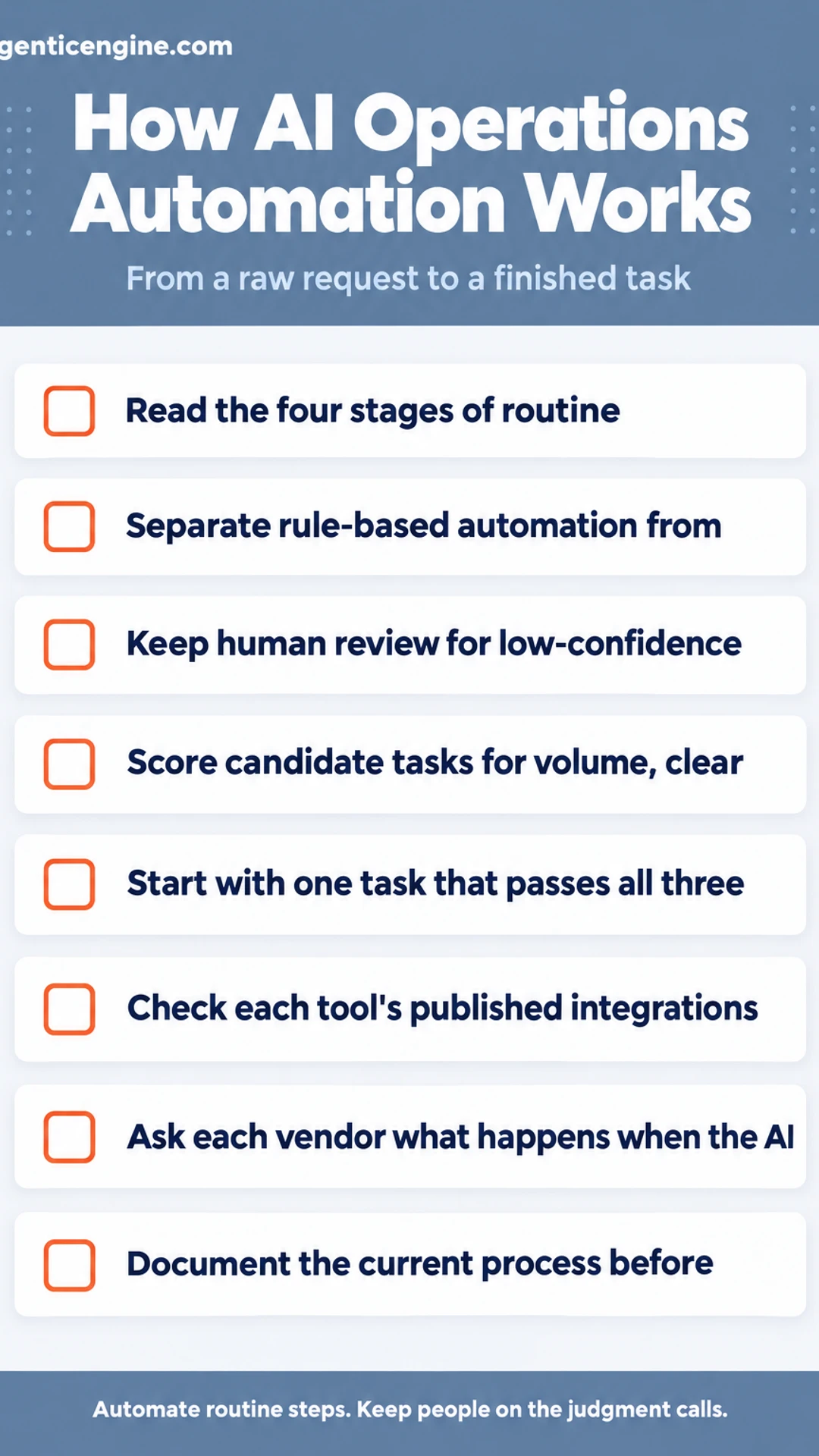
- ☐ Read the four stages of routine automation: trigger, interpretation, decision, action
- ☐ Separate rule-based automation from AI-driven workflows for each task you consider
- ☐ Keep human review for low-confidence cases, legal mentions and high-value decisions
- ☐ Score candidate tasks for volume, clear inputs and outputs, and accessible, clean data
- ☐ Start with one task that passes all three checks
- ☐ Check each tool's published integrations, audit logs, permissions and approval steps
- ☐ Ask each vendor what happens when the AI is unsure, and how errors are reviewed
- ☐ Document the current process before choosing a platform, then run the automation alongside the manual version
Frequently asked questions
What is automation AI?
Automation AI is software that uses machine learning or language models to carry out work that normally needs a person to read, judge or decide something. Unlike a fixed rule, it can handle variation, such as sorting an unfamiliar invoice or interpreting a free-text customer request, and then pass the result to the next step in a workflow.
Is there an AI operating system?
Not in the sense of a single product that replaces Windows or macOS. Most businesses run AI through their existing systems: a CRM, accounting software or workflow platform with AI features added. Some vendors describe their platforms as an AI operating system, but that is their own marketing term, so check what the product actually connects to before buying.
What company is leading in AI robotics?
Leadership depends on the measure you use: research output, deployed units, funding or revenue. Large companies such as Boston Dynamics, Tesla and several Chinese manufacturers are often named in coverage, but rankings change quickly. For operations automation, most small businesses use software rather than physical robots, so the more relevant question is which software platform fits your workflow.
What jobs can I get with AI automation?
Common roles include automation specialist, workflow designer, AI operations analyst, no-code automation builder and implementation consultant. Many people move into these from operations, IT or admin backgrounds. Employers usually look for hands-on experience building workflows in tools like Zapier, Make or Power Automate, plus a clear understanding of the business process being automated.
How do you automate routine tasks with AI?
Start by listing tasks you repeat weekly, such as copying data between tools or sorting incoming emails. Then choose the ones with clear inputs and outputs. A workflow tool connects your apps, and an AI step handles any part that needs reading or classifying. Begin with one task, check the results for a few weeks, and only then expand to others.
Wrapping up
Automating routine operations with AI works best when you start small and pick tasks with clear inputs and outputs.
The AI handles the reading and judging, while your workflow tool moves the information between systems.
Check the output for a few weeks before expanding, because the first version rarely runs perfectly.
Which repetitive task in your business would you automate first? Share it in the comments.
Share this: X · LinkedIn · Facebook
Summarize with AI: ChatGPT · Claude · Perplexity