Category: AI tools

  • 12 Best AI Prospecting Tools for Small Sales Teams

    12 Best AI Prospecting Tools for Small Sales Teams

    AI In Business12 Best AI Prospecting Tools for Small Sales Teams

    The short answer

    The best AI prospecting tools for small sales teams are the ones that combine accurate contact data, simple outreach workflows and a price that fits a small team. Strong options include Apollo.io, Lusha and Instantly.ai, each suited to a different mix of data needs and outreach volume. Choose by team size, budget and whether you need a full sales platform or a focused tool, and test data quality on your own target market during any trial.

    If you run a small sales team, you already know that finding good prospects takes more time than most people expect. This guide covers 12 best AI prospecting tools for small sales teams, selected for contact data quality, ease of setup and pricing that a team of a few reps can justify.

    This guide is based on published specifications, vendors' own claims (which we attribute to them) and what buyers commonly report, not on our own testing.

    Every tool on the list had to offer contact or company data, some form of AI assistance for finding or ranking prospects, and a plan or trial a small team could realistically start with. We left out tools aimed mainly at large enterprises.

    Let's dive in.
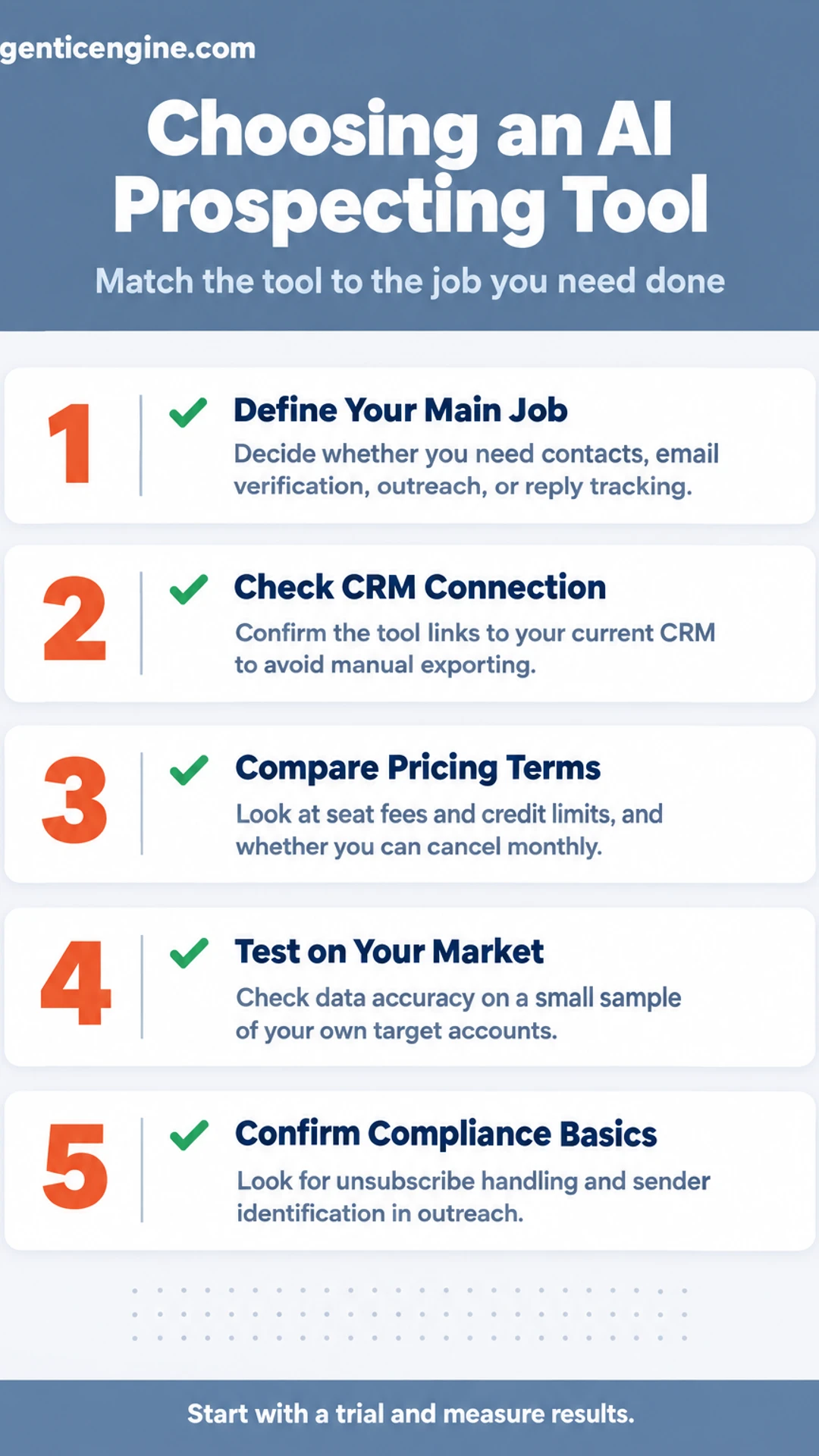
    Listicle infographic: Choosing an AI Prospecting Tool. Match the tool to the job you need done. 1. Define Your Main Job; 2. Check CRM Connection; 3. Compare Pricing Terms; 4. Test on Your Market; 5. Confirm Compliance Basics.

    AI prospecting tools at a glance

    Option Best for Key feature Price as stated
    Apollo.io Small teams starting out Contact database with sequencing and dialer Free tier with limited monthly credits
    Lusha Solo sellers or two-person teams Browser extension for verified contacts Not stated
    Instantly.ai High-volume outbound campaigns Unlimited sending accounts and email warm-up Not stated
    ZoomInfo Mid-market teams needing deep intelligence Intent signals and org charts Annual contract priced by seat and data volume
    LinkedIn Sales Navigator Relationship-driven selling Advanced LinkedIn filters and activity alerts Not stated
    Cognism Teams selling into Europe or regulated markets Phone-verified data focused on compliance Not stated
    LeadIQ Manual prospect research Captures contacts while researching Not stated
    Clay Teams with specific targeting rules Combines many data sources into custom lists Not stated

    AI in Business Calculator: Hours Your Practice Could Reclaim Each Week

    A closer look at each

    1. Apollo.io: A widely known all-in-one platform that many small sales teams start with, combining a large contact database, email sequencing and a built-in dialer in one tool. Its free tier allows a limited number of monthly credits, which makes it a sensible way for a team to test its data quality before committing to a paid plan.

    2. Lusha: A lightweight way to find verified business contact details quickly, usually through a browser extension that works alongside LinkedIn and your CRM. It suits a solo seller or a two-person team that needs a few verified emails and phone numbers per day rather than a full prospecting suite with heavy setup.

    3. Instantly.ai: A cold email platform built for teams running high-volume outbound campaigns, with features such as unlimited sending accounts, email warm-up and campaign rotation. It is best for teams whose main job is outreach at scale, since it does less of the contact-finding work that tools like Apollo or Lusha handle.

    4. ZoomInfo: A large data platform that many mid-market teams use for deep company and contact intelligence, including intent signals and org charts. Its contracts are typically annual and priced by seat and data volume, so a small team should compare the quoted terms carefully and confirm which features are included before signing.

    5. LinkedIn Sales Navigator: The standard tool for searching and tracking people on LinkedIn, with advanced filters for role, company size, region and recent activity. It is most useful for relationship-driven selling, where a rep wants to see when a prospect changes jobs or posts something relevant and then reach out with context.

    6. Cognism: A data provider that emphasises compliance and phone-verified contact data, with a focus on regional rules such as GDPR and Do Not Call lists. Teams selling into Europe or heavily regulated markets often choose it because its data is positioned around consent and verification, though buyers should confirm current coverage for their specific territories.

    7. LeadIQ: LeadIQ is built to capture contact data while your team researches, so you are not copying names and emails between tabs. It works as a browser extension alongside LinkedIn and pushes details into a CRM or spreadsheet. Best suited to a small sales team doing manual prospect research who wants a tidy, organised lead list without extra data-entry time.

    8. Clay: Clay pulls prospect data from many sources and lets you combine them into one custom list, with filters and enrichment steps you set up yourself. Its flexibility suits teams with specific targeting rules, such as a list of mid-sized logistics firms in a named region. It has a learning curve, so plan a short setup period before relying on it.

    9. Seamless.ai: Seamless.ai is a search tool for finding contacts by role, company and industry. The vendor claims its data updates in real time, but that is a vendor claim, and buyers commonly recommend verifying emails before a campaign. Useful for a small team building fresh lists quickly, provided each contact is checked before outreach.

    10. Reply.io: Reply.io runs multi-step outreach sequences that combine email and LinkedIn touches, with AI features for drafting messages. You can schedule follow-ups so each prospect gets a consistent, timed series. A good fit for a team that wants one platform handling email and LinkedIn contact without juggling separate tools.

    11. Salesforce Sales Cloud: Sales Cloud is a full CRM with prospecting features, including lead management and sales workflows. It makes the most sense for teams already invested in Salesforce, where lead data, reporting and integrations already live. For a team starting fresh, the setup and licensing cost can outweigh the prospecting benefit.

    12. HubSpot Sales Hub: HubSpot Sales Hub is a CRM-first option that includes prospecting tools and email sequences, with a free tier available. Its free plan lets a small team test contact tracking and basic outreach before paying for more. A practical choice for teams that want the CRM and outreach in one place and plan to grow into paid features later.

    Frequently asked questions

    What should a small sales team look for in an AI prospecting tool?

    Start with the job you need done: finding contacts, verifying email addresses, writing outreach, or tracking replies. Check that the tool connects to the CRM you already use, because manual exporting wipes out much of the time saved. Look at how many seats are priced in, and whether you can cancel monthly or are locked into an annual contract.

    Are AI prospecting tools accurate enough to replace manual research?

    They usually cut the first pass of research, not the judgment behind it. Contact data goes stale, job titles change, and AI-written messages can sound generic. Vendors commonly claim high accuracy, so check those claims against a small sample of your own target accounts before committing a full budget.

    How much do AI prospecting tools typically cost for a small team?

    Pricing varies widely and vendors change it often, so confirm the current figures on each vendor's pricing page. Many charge per user per month, and some add credit-based fees for contact lookups or emails sent. Factor in those usage limits, not just the headline seat price.

    Do I need technical skills to set up an AI prospecting tool?

    Most tools are built for sales staff rather than developers, and basic setup is usually a matter of connecting your email and CRM and defining your ideal customer profile. Expect a few hours of configuration and a short trial period to tune targeting. Tools that require custom integrations take more time and may need outside help.

    How do I know whether an AI prospecting tool is compliant with email rules?

    Check whether the tool includes unsubscribe handling, sender identification, and opt-out tracking, since these are the basics of commercial email rules such as the CAN-SPAM Act in the United States. Ask the vendor how it sources contact data and whether it respects regional privacy laws. Compliance remains your responsibility, so review the vendor's documentation and confirm with your own advisor if you are unsure.

    Wrapping up

    Twelve tools, one decision. You now have a clear list of twelve options to compare.

    Match the tool to the job you need done first, whether that is finding contacts, writing outreach, or tracking replies.

    Which one will you try first? Or is there a tool you think I missed?

    Share this: X · LinkedIn · Facebook
    Summarize with AI: ChatGPT · Claude · Perplexity
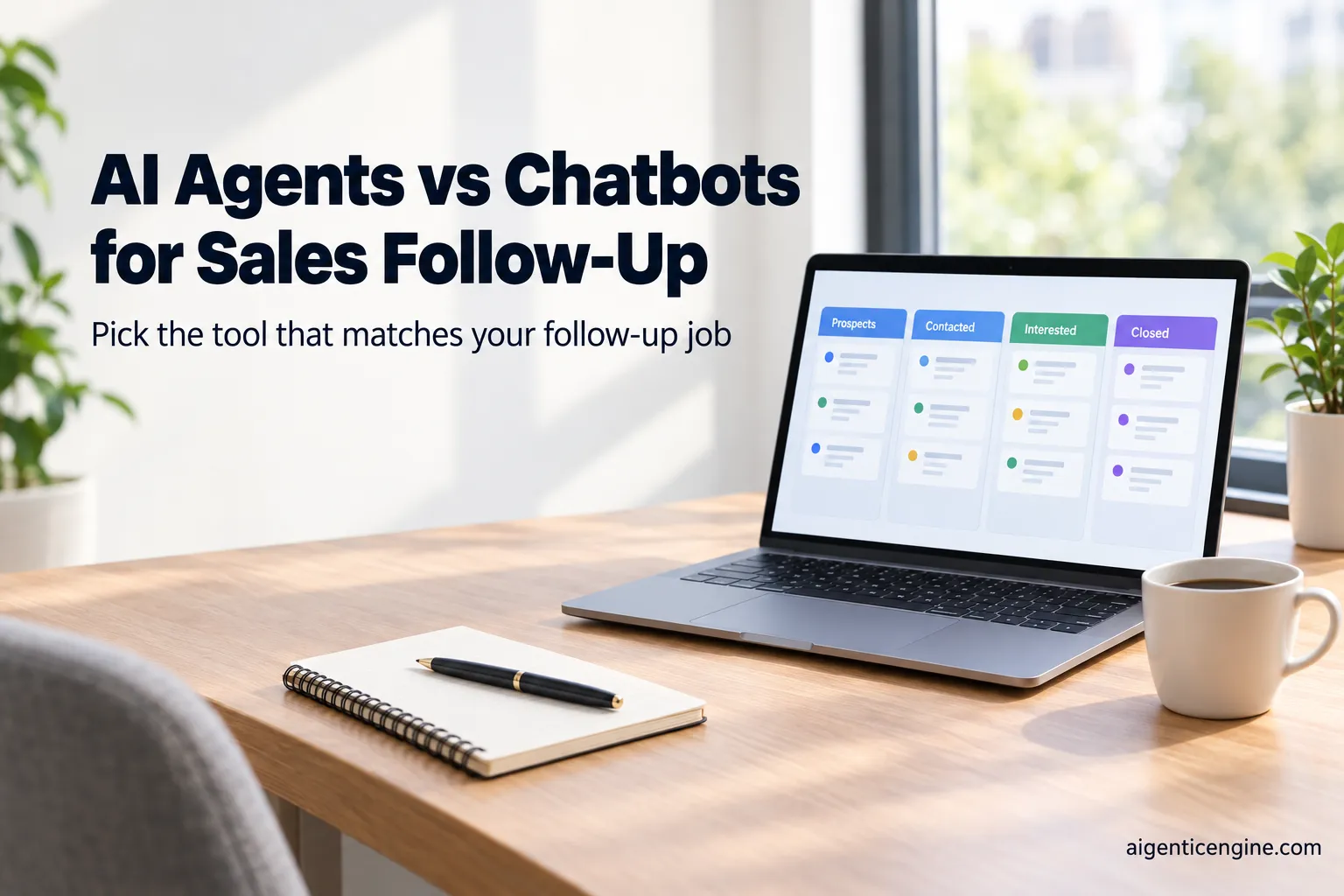


  • AI Agents vs Chatbots for Sales Follow-up: Which One to Choose

    AI Agents vs Chatbots for Sales Follow-up: Which One to Choose

    AI In BusinessAI Agents vs Chatbots for Sales Follow-up: Which One to Choose

    The short answer

    A chatbot answers questions through a conversation, usually from scripted flows or a knowledge base, and it typically cannot take actions in your other tools. An AI agent can reason through a goal, such as following up with a lead, and then carry out steps like updating your CRM, sending emails or booking a meeting. For most small sales teams, a chatbot suits website inquiries, and an agent suits multi-step follow-up, but the agent needs clear approval rules.

    If you are trying to decide between the two, you are probably not short of tools. You are short of a clear way to tell which one will actually stop leads from going cold. Most of the marketing you have read blurs the two together, so the choice feels harder than it needs to be.

    I think the useful question is not "which is smarter?" but "what job do I need done, and who checks the work?" Answer that and the right option usually becomes obvious.

    This guide compares the two side by side, so you can see where each one fits your follow-up process. We will look at what each is best for, how much setup each typically needs, and which parts of the job they handle without help. Then we will walk through how to choose, and I will give you my own view on where small teams tend to go wrong. This guide is based on published specifications and what buyers report, not our own testing.

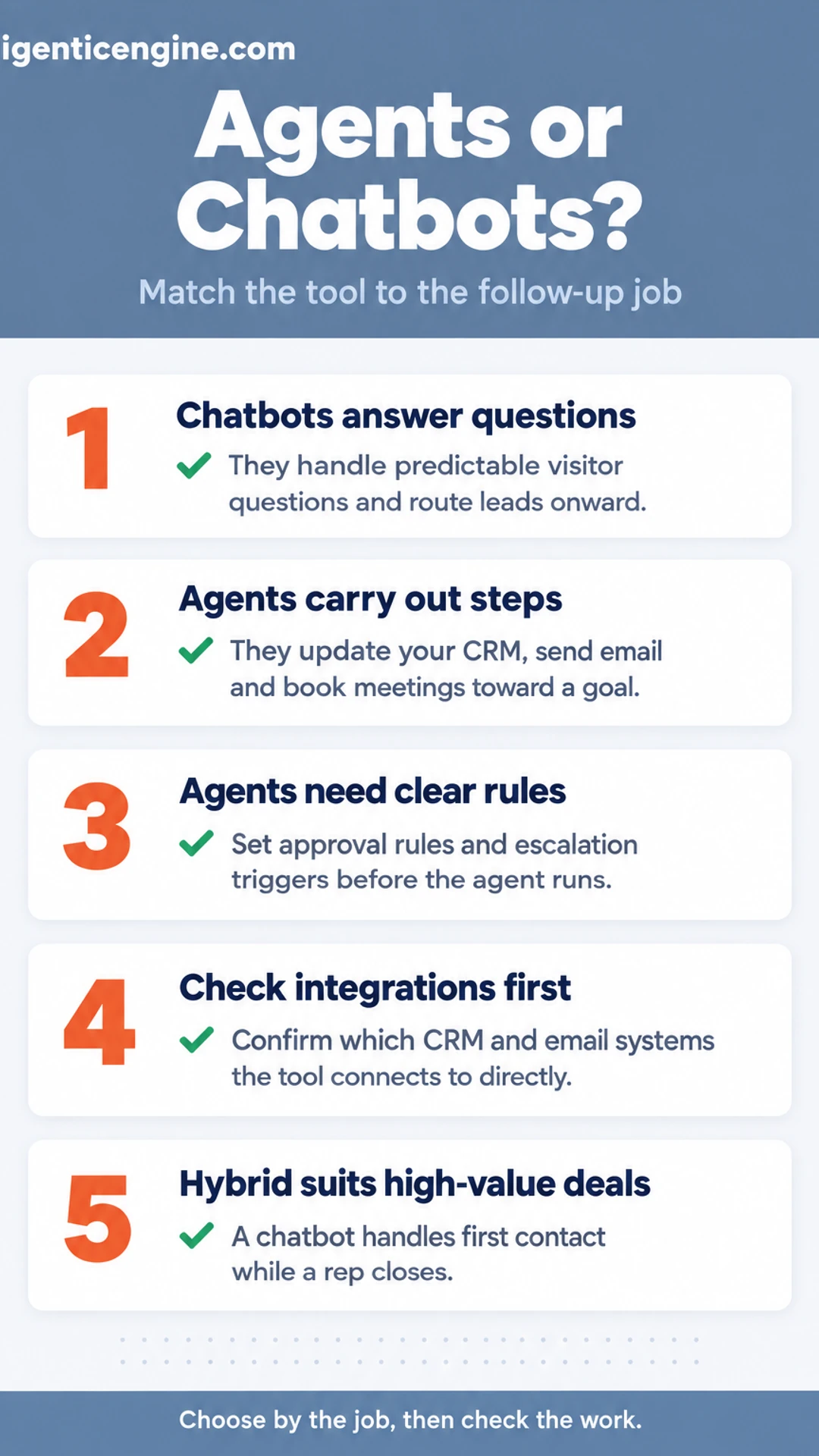
    Listicle infographic: Agents or Chatbots?. Match the tool to the follow-up job. 1. Chatbots answer questions; 2. Agents carry out steps; 3. Agents need clear rules; 4. Check integrations first; 5. Hybrid suits high-value deals.

    AI agents vs chatbots at a glance

    Option Best for Actions beyond chat Setup and upkeep Pricing model
    Chatbots Answering predictable visitor questions Usually read-only, rarely writes Quick launch, ongoing scripting Per seat or per conversation
    AI agents Multi-step follow-up at volume Updates CRM, sends email, books meetings More upfront work: access, permissions, data Per seat, per conversation or per task
    Chatbot plus human rep High-value deals needing judgment Chatbot handles first contact only Moderate; rep time required Not stated

    What Each Option Actually Is

    Before you compare anything, you need to know what you are comparing. The two terms get used interchangeably in product pages, and that makes shopping harder than it should be.

    Chatbots are conversational tools. Some follow a fixed script of buttons and decision trees. Others use language models to hold a looser conversation. In both cases, the core job is to answer questions and route the visitor somewhere: to a help article, a booking page, or a human rep. Most chatbots are read-only in practice. They can tell a lead what your pricing is, but they usually cannot update the CRM, issue a discount, or book follow-ups on their own.

    AI agents are built around a goal. You give one an outcome, such as "re-engage every lead who went quiet after a demo," and it works out the steps. That can mean reading the lead's history, drafting a message, sending it, logging the reply, and scheduling the next touch. The defining feature is that it takes multi-step actions across connected tools. Vendors often describe these as agentic systems, a term that refers to that goal-directed, action-taking behavior.

    Why the terms get mixed up: many vendors label any AI-powered chat window an "agent," because the word sounds more capable. Some chatbots are now bolted onto workflow tools, which blurs the line further. When a product page uses either word, ask what the tool can actually do to your data and your systems. That answer tells you which category it belongs in.

    The Differences That Matter for Sales Follow-Up

    Most of the confusion between agents and chatbots comes down to what each one is allowed to do. The questions below are the ones I'd put to any vendor before you sign, because they separate a tool that talks from a tool that works your pipeline.

    What can it actually do, beyond talking?

    A chatbot mainly converses. It answers questions, qualifies a visitor and hands off. An agentic system is built to take actions: writing notes to your CRM, sending email, and checking or booking calendars. Published product materials from vendors in this space generally describe this action scope as the main dividing line, so ask for a list of the specific systems each one can write to, not just read from.

    What happens when a reply goes off script?

    • Check whether the tool escalates to a human on a defined trigger, such as a pricing objection, a complaint or a repeated non-answer.
    • Ask how the escalation is handed over: does the rep get the full thread and the lead's history, or do they start from scratch?
    • Confirm the rules are editable by you, not locked inside the vendor.

    What does it take to set up and keep running?

    Chatbots are often quicker to launch but need ongoing scripting as your offer changes. Agents usually need more upfront work: CRM access, permissions, and clean lead data. Decide early who owns the follow-up sequences, because a sequence nobody maintains quietly goes stale.

    Which to Choose for Your Situation

    The right choice usually comes down to three things: how many leads you handle, how complicated the follow-up needs to be, and what you want the tool to accomplish. Here is how each option tends to fit, based on published specifications and what buyers commonly report.

    Chatbots fit when:

    • Visitors arrive on your site with simple questions about pricing, hours or shipping
    • You mainly need lead capture forms filled in and routed correctly
    • Your follow-up volume is low enough that a person can review each conversation

    A chatbot answers customers quickly and keeps them engaged at hours when your team is offline. For many small ecommerce shops, that alone recovers a meaningful share of lost interest.

    AI agents fit when:

    • You receive many leads and each one needs timed, multi-step follow-up
    • You need the system to update your CRM as conversations progress
    • You want follow-up sequences that adjust based on how a prospect responds

    Agents are built to carry out tasks, not just reply. If you run a larger sales operation, this is where an agent earns its place.

    A chatbot plus a human rep is often the better and cheaper choice when:

    • Your deals are high-value and need personal judgment
    • Your team is small and lead volume is moderate
    • You want the chatbot to handle first contact while a person closes

    This hybrid approach keeps costs contained, and a human stays responsible for the conversations that matter most. Start with what your current follow-up problem actually is, then match the tool to it.

    What to Check Before You Buy

    Before you compare features, check whether the product fits the tools you already run. A sales follow-up tool that cannot talk to your CRM or inbox will create more manual work, not less.

    Confirm integrations with your CRM and email first. Ask the vendor which CRMs and email platforms they connect to directly, and whether that connection is native or built through a third-party connector. Ask what data flows in each direction. Shopify and other ecommerce stores matter here too, if your sales depend on shoppers and customers buying through your site.

    Ask how actions are approved, logged and reversed. This is where agents and chatbots differ most. Find out:

    • Which actions the system takes on its own, such as sending a follow-up email, and which need a human to approve them
    • Whether every action is written to a log you can review
    • How you undo a message or change that went out in error

    Check the vendor's published pricing model. Pricing is usually per seat, per conversation or per task. Work out what your volume looks like each month and ask for an example bill based on it. Chatbots priced per conversation can cost more than expected at high traffic, while per-seat pricing can be cheap until you add users.

    Keep a short list of questions for every vendor you consider. Their answers will usually tell you more than the feature page does.

    What Vendor Claims and Buyer Reports Say

    When you compare AI agents vs chatbots for sales, the performance numbers you see first are often the least reliable. Vendors publish conversion claims because they sell well, but a headline figure means little until you can see how it was measured. Before you weigh any number, ask a few plain questions.

    • What counted as a conversion? A booked call, a reply, and a closed sale are very different outcomes.
    • Who was in the sample? Traffic from a warm list converts differently than cold inbound questions.
    • What was the comparison group? A lift measured against no follow-up at all says little about the alternative you would actually use.
    • How long did the test run? Short windows can make early spikes look permanent.

    Third-party roundups of AI chat conversion statistics are no better unless they name the original study and its sample. If a figure has no named source you can check, treat it as a rough guess, not a benchmark.

    Buyers who have run these tools tend to report something less glamorous: results depend heavily on lead quality and follow-up speed. A well-timed reply to a qualified prospect usually matters more than whether a bot or an agent sent it. Plan your evaluation around your own leads and your own response times, and let your own numbers decide.

    Our Take

    Start with the follow-up job you most need done, not the label. Plenty of teams shop for an "AI agent" or a "chatbot" before they have decided what the work actually is. Write down the specific step you want handled, such as answering a question from a shopper after they browse your product page, or sending a second message to a lead who went quiet. Then ask which option fits that step. A chatbot is often enough when the job is answering a predictable question. An agent makes more sense when the follow-up needs several steps, such as checking inventory, updating your CRM and deciding when a human should step in.

    Give an agent write access only after you trust its approval steps. Reading data is low risk. Sending messages, changing deal stages or issuing discounts is where mistakes cost you money or customer goodwill. Start with the agent drafting actions for review, watch the results for a few weeks, and widen its permissions only as the record holds up.

    Revisit the decision once your lead volume and CRM setup are clearer. Small businesses often pick a tool before their pipeline data is clean. If your contacts are duplicated or your deal stages are inconsistent, neither option will perform well. Once those basics are in order and you can see how many customers reach you each month, the right answer is usually easier to spot.

    Frequently asked questions

    Is selling AI agents profitable?

    It can be, but margins depend on the buyer's problem, how much customization the sale needs, and how much ongoing support follows. Resellers who attach setup, integration and monitoring to a clear outcome tend to earn more than those selling a generic tool with no service around it.

    Are AI agents the same as chatbots?

    No. A chatbot mainly answers questions within a conversation. An AI agent can take multi-step actions on its own, such as checking a CRM record, deciding the next follow-up, sending a message and logging the result. Many products blur this line, so ask what the system does without a person prompting each step.

    Which AI is best for salespeople?

    The best option depends on the task. For drafting outreach emails and summarizing call notes, a general AI assistant works well. For repeatable follow-up across many leads, a workflow tool that connects to your CRM is usually the better fit. Start with the task that takes the most time each week.

    Can AI agents do sales?

    AI agents can handle parts of the sales process, such as following up with leads, qualifying them against set criteria and booking meetings. Closing complex deals, handling pricing negotiations and building trust with decision makers still generally needs a human. Most businesses get the best results by assigning the agent the routine steps and keeping people on the rest.

    Should a small business use a chatbot or an AI agent for sales follow-up?

    If you mainly need instant answers to website visitors, a chatbot is simpler and cheaper to set up. If you need follow-up sequences that run across days or weeks and update your CRM, an AI agent is the better match. Check what each vendor says the product does on its own before you buy.

    Wrapping up

    Chatbots answer questions. AI agents carry out follow-up steps, which is what most sales teams are short on.
    Match the tool to the job: conversation for visitors, action for leads you already have.
    Before buying, ask the vendor which steps run without a person and how results get logged.
    What follow-up step is costing your team the most time right now? Tell us in the comments.

    Share this: X · LinkedIn · Facebook
    Summarize with AI: ChatGPT · Claude · Perplexity

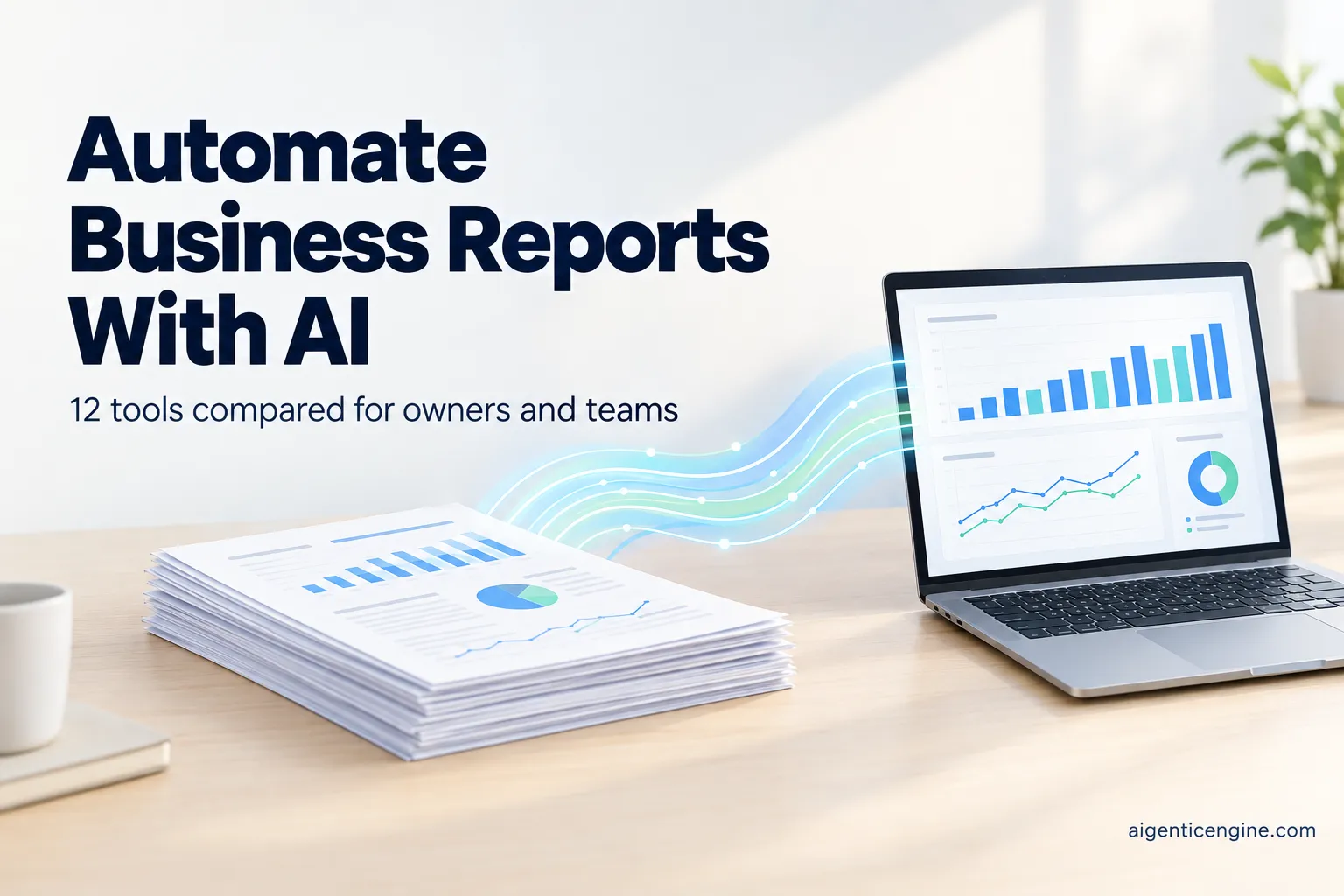
  • 12 Best AI Reporting Tools for Automating Business Reports

    12 Best AI Reporting Tools for Automating Business Reports

    AI In Business12 Best AI Reporting Tools for Automating Business Reports

    The short answer

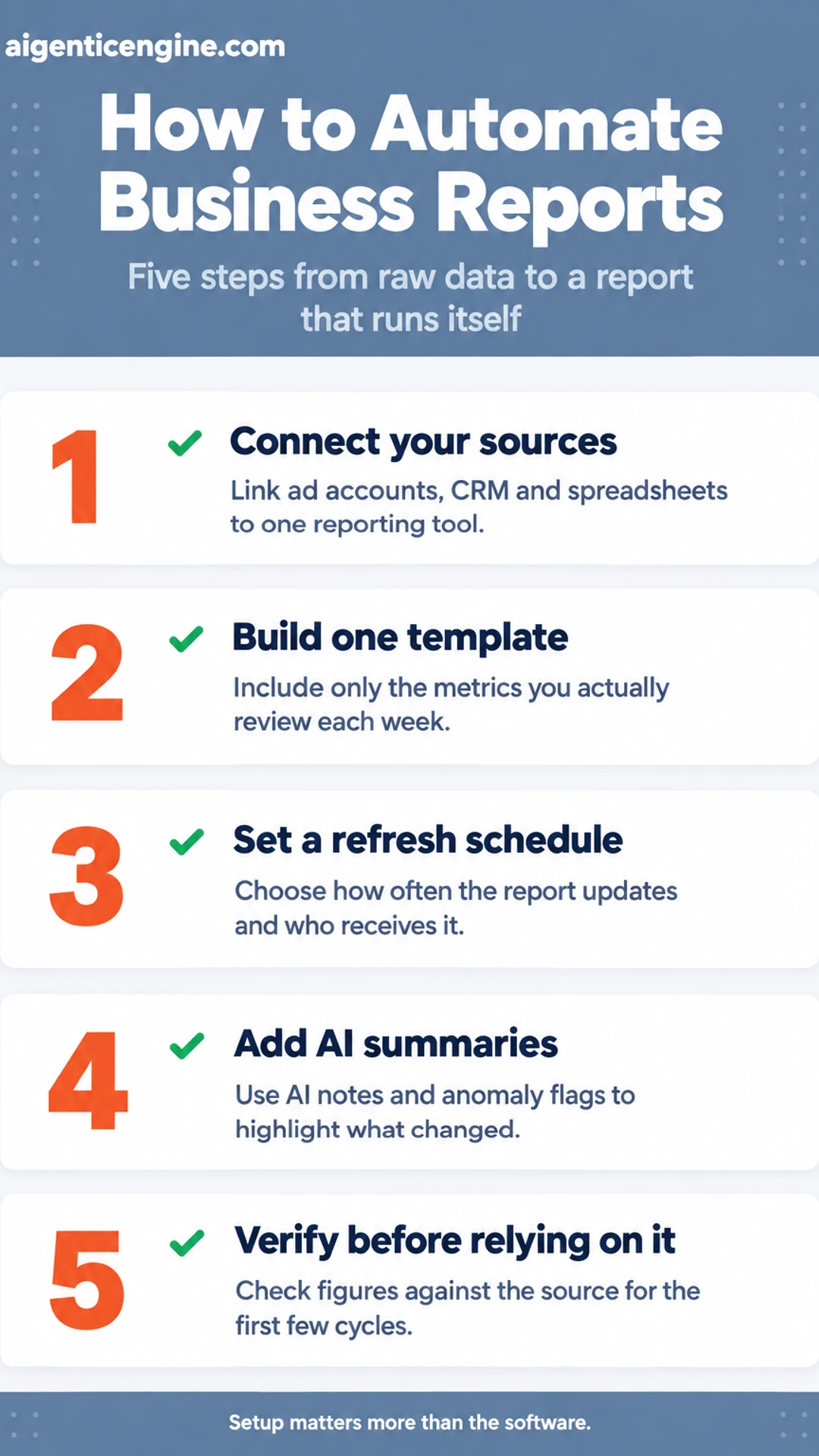
    To automate business reports with AI, connect your data sources (ad accounts, CRM, spreadsheets) to a reporting tool, build one template with the metrics you actually review, set a refresh schedule, and add AI summaries or anomaly flags on top. Check the numbers against the source for the first few cycles before you rely on them.

    Most of the work is in the setup, not the software. When you pick the right tool and wire it to the systems you already use, the weekly report stops being a Friday chore and arrives on its own.

    This list covers 12 AI reporting tools that can automate business reports. Each entry was chosen for what it does well for owners, small teams and agencies: connectors, scheduling, and whether the AI features help you spot problems or simply decorate charts.

    This guide is based on published specifications and what buyers report, not our own testing. Treat vendor claims as claims and verify them yourself.

    Along the way, you will see how this fits into the rest of our AI in business hub, including our guides on how to start using AI in your business in 30 days and how AI can automate routine operations tasks.

    Let's dive in.

    Listicle infographic: How to Automate Business Reports. Five steps from raw data to a report that runs itself. 1. Connect your sources; 2. Build one template; 3. Set a refresh schedule; 4. Add AI summaries; 5. Verify before relying on it.

    The 12 tools at a glance

    Tool Best for Pricing noted in article
    Looker Studio Small teams on Google platforms Free connectors
    Improvado Large marketing teams, many channels Quote-based
    Whatagraph Marketing agencies with branded reports Not stated
    AgencyAnalytics Agencies with client portals Not stated
    Supermetrics Teams feeding Sheets or BI tools Not stated
    HubSpot reporting Teams already in HubSpot CRM Not stated
    Funnel.io Multi-channel campaigns needing clean data Not stated
    Polymer Owners with single spreadsheet files Not stated

    Hiring vs Automating Cost Calculator

    AI in Business Calculator: Which Workflows to Automate First

    A closer look at each

    1. Looker Studio: A free Google tool for building dashboards that pull from Google Analytics, Google Ads, Search Console and Google Sheets. Its built-in connectors are free, so a small team can set up a live campaign report in an afternoon without paying for a reporting platform. Scheduled email delivery is available, though it suits simpler layouts than the paid options below.

    2. Improvado: A data integration platform aimed at larger marketing teams that pull from many advertising, analytics and CRM sources at once. It maps and cleans that data into one model before reporting, which is why it suits companies running campaigns across a dozen channels. Pricing is quote-based, so expect a sales conversation rather than a published rate card.

    3. Whatagraph: A reporting tool built for marketing agencies that need polished, branded reports for each client. Templates, white-label output and automated scheduled sends cut the hours spent copying charts into slides. Check which data connectors your current clients use before committing, since coverage varies by platform.

    4. AgencyAnalytics: Agency reporting software that combines client dashboards, automated reports and a white-label client portal in one place. Clients can log in to check campaign performance any time, which often reduces the number of "how is my campaign doing?" emails an account manager receives each week. Confirm the plan includes the integrations you rely on.

    5. Supermetrics: A data connector rather than a full dashboard tool, designed to move marketing and sales data into Google Sheets, Excel, Looker Studio or a data warehouse. It is a good fit when your team already has spreadsheet or BI habits and mainly needs clean, refreshed data delivered on a schedule. It does not replace the visual layer, so budget for whatever tool displays the results.

    6. HubSpot reporting: Built-in reporting inside HubSpot CRM, covering deal pipeline, lead sources, email performance and campaign results. Because the data already sits in the CRM, there is no connector to maintain and no sync to break. Its limits show up when you need to combine HubSpot data with ad platform or finance data, which usually means adding an outside tool.

    7. Funnel.io: Funnel.io pulls data from advertising platforms, analytics tools and CRMs into one place, then cleans and standardizes it before any report is built. Its published materials describe connectors for many common marketing sources, so a team running a campaign across several channels can reconcile naming and currency issues upstream. Clean inputs are what keep automated reports from carrying errors forward.

    8. Polymer: Polymer lets you upload a spreadsheet or CSV file and produce visual dashboards with little setup, which suits an owner who already keeps records in Excel or Google Sheets. Its vendor materials emphasize drag-and-drop charts and sharing links. It works best for one-off or periodic reports from a single file, rather than live feeds across many systems.

    9. Zapier-based workflows: This is the do-it-yourself route, where you connect your own tools with Zapier and have it move information, such as new form entries or closed deals, into a spreadsheet that feeds a report. Zapier's published pricing is tiered by task volume, so check current plans before committing. You trade convenience for control, and you own every connection you build.

    10. Scheduled AI summary tools: These products read a report's figures on a schedule and write a plain-language note describing what changed, such as "spend rose while conversions fell." Vendors often describe this as saving reading time for busy owners. A summary is only as reliable as the numbers beneath it, so confirm the underlying data before acting on the narrative.

    11. Choosing by business stage: A solo owner with one sales channel usually needs a spreadsheet plus a simple visual tool like Polymer. A growing team with several platforms benefits from a connector tool like Funnel.io. Agencies managing many client accounts should prioritize tools that handle multiple workspaces and permissions, and a Zapier build suits owners with some technical comfort.

    12. What to check before you trust a report: Before acting on any automated report, confirm the date range, compare one total against its source platform, check that currency and time zones match, and look for duplicate or missing rows. Ask who maintains each connection and how failures are flagged. A report that skips these checks can look polished while quietly misstating performance.

    Frequently asked questions

    Can AI really write a business report without someone checking it?

    Not safely, at least not yet for anything that goes to a client, lender or board. AI reporting tools are good at pulling figures, building charts and drafting summaries, but they can misread a column or mislabel a category. Treat the output as a strong first draft and check the totals and any figure that drives a decision before it leaves your desk.

    What data do I need before I can automate a business report with AI?

    You need a source the tool can reach and a consistent structure. That usually means exports or live connections from your accounting software, CRM, ad platforms or spreadsheets, plus clear column names and date ranges. If the same metric is named three different ways across systems, fix that first. Clean, consistent inputs matter more than which tool you choose.

    How long does it take to set up an automated AI report?

    For a simple weekly sales or marketing summary connected to one or two sources, a first version often takes an afternoon to a few days, mostly spent on connections and defining the metrics. More complex reports with multiple sources, custom formulas or approval steps can take several weeks. Expect the first month to involve some tuning as you refine what the report needs to say.

    Are AI reporting tools secure enough for sensitive financial data?

    It depends on the vendor and your settings. Check whether the tool encrypts data in transit and at rest, whether it offers role-based access, and whether it states that your data is not used to train shared models. Review the vendor's published security documentation and ask your accountant or IT contact to look at it before you connect payroll or banking data.

    Will automating reports with AI replace the person who builds them?

    In most small businesses it changes the job rather than removing it. The routine work of gathering exports, formatting tables and drafting first-pass commentary shrinks, while the person still decides which numbers matter, questions anomalies and explains what to do next. Plan for that shift so the time saved goes toward analysis rather than simply disappearing.

    Wrapping up

    We covered 12 options for automating business reports with AI, each suited to a different kind of team and data setup.

    The right choice depends on where your numbers live and who needs to read them.

    Before you commit, check the data connections, the security terms and the true cost at your volume.

    Which of the 12 are you going to try first, and did we leave out a tool you rely on?

    Share this: X · LinkedIn · Facebook
    Summarize with AI: ChatGPT · Claude · Perplexity


  • What AI Can Actually Do for a Small Business Today

    What AI Can Actually Do for a Small Business Today

    AI In BusinessWhat AI Can Actually Do for a Small Business Today

    The short answer

    AI for small business today is best at handling repetitive, language-heavy and data-heavy work: drafting and sorting messages, summarising documents, answering routine customer questions, spotting patterns in sales and finance records, and producing first drafts of marketing content. It does not replace owner judgment, reliable data or human review of customer-facing output, and results depend heavily on how well the tool is set up and fed.

    You already know the frustration. Your inbox fills faster than you can answer it, your reports take an afternoon to assemble, and the tools you bought promised to save time but added another login. That is a fair complaint, and it deserves a clearer answer than the hype you keep seeing.

    This guide will show you what AI can realistically do for your business right now, how it works in plain terms, and where it tends to fall short. You will see practical examples across sales, operations and reporting, along with a note on what this means for agencies. Our take at the end gives you a straightforward way to decide where to begin.

    This guide is based on published specifications and what buyers report, not our own testing.

    What the sections cover:

    • The short answer: the tasks AI handles well today, in one place.
    • How it works: the basic mechanics, so you can judge tools without jargon.
    • Why it matters: where AI changes cost, speed and capacity for a small firm.
    • Our take: a practical starting point and the checks to make before you buy.

    For the wider picture, start with the hub at aigenticengine.com, and see how to start using AI in your business in 30 days if you want a step-by-step plan.

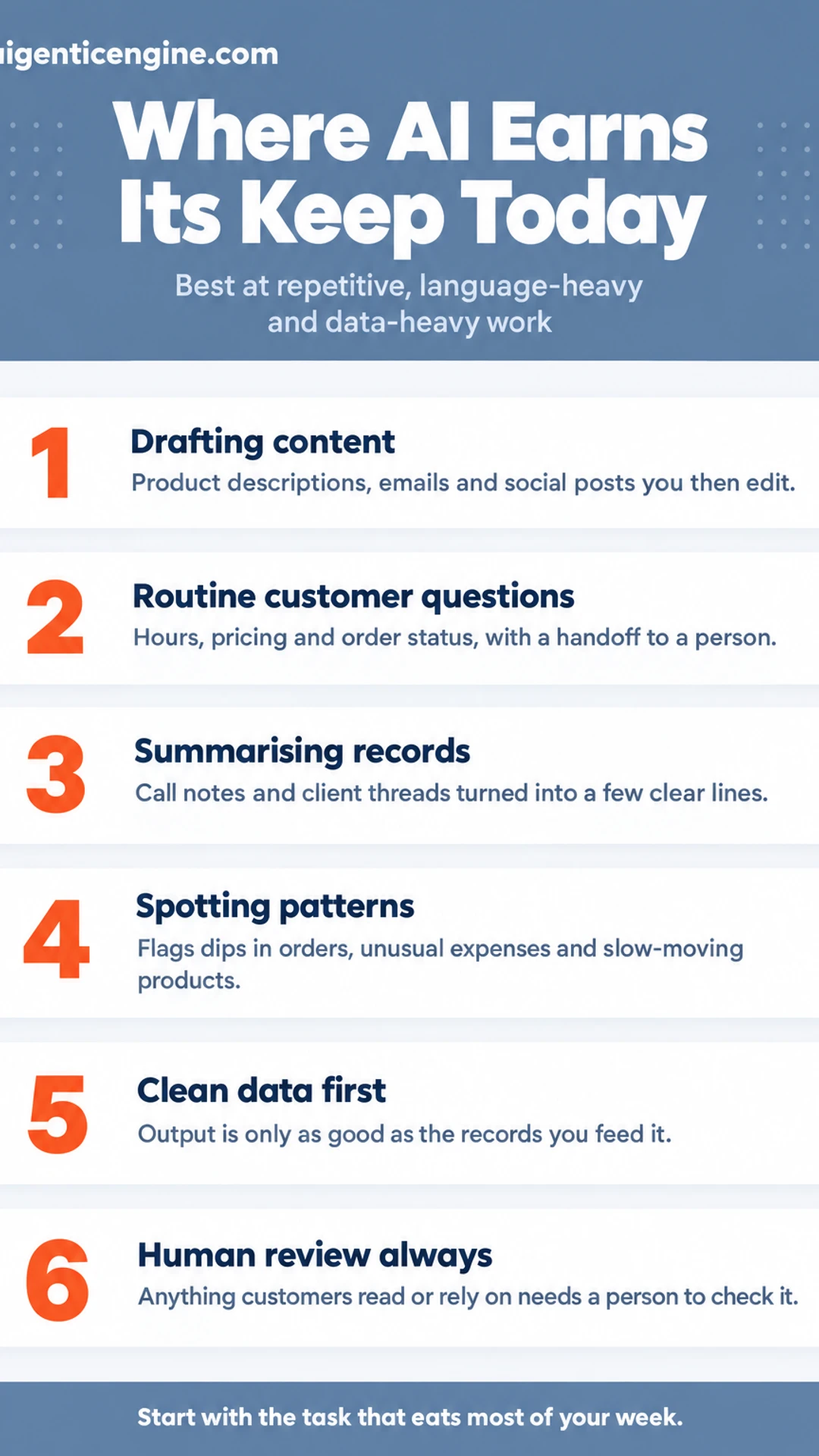
    Listicle infographic: Where AI Earns Its Keep Today. Best at repetitive, language-heavy and data-heavy work. 1. Drafting content; 2. Routine customer questions; 3. Summarising records; 4. Spotting patterns; 5. Clean data first; 6. Human review always.

    Where AI tools come from

    Tool type Best for
    Built into existing software Adding AI inside tools your team already uses
    Standalone product More specialized work connected to your systems

    AI Total Cost of Ownership Calculator

    AI in Business Calculator: Which Workflows to Automate First

    The Short Answer: What AI Does Well for Small Businesses

    AI is software that finds patterns in data and then produces something from them: a draft of text, an image, or a prediction about what is likely to happen next. For a small business, that means it can take over repetitive writing and sorting work, so you and your staff spend more of your day on decisions only people can make.

    The tools that earn their place today tend to do four things well:

    • Drafting content. Product descriptions, email drafts, social posts and first-pass marketing copy that you then edit.
    • Answering routine customer questions. Hours, pricing, order status and other common queries, handled by a chatbot trained on your own information.
    • Summarising records. Turning long call notes, client threads or meeting transcripts into a few clear lines.
    • Flagging patterns in sales and finance. Spotting a dip in repeat orders, an unusual expense or a slow-moving product before it becomes a problem.

    The limits matter just as much. AI can be wrong, sometimes confidently so. Its output is only as good as the data you feed it, so messy spreadsheets produce messy insights. Anything a customer will read or rely on needs a person to check it first.

    Used with those limits in mind, these tools help small businesses work faster and see more, without needing a large team behind them.

    How AI Works Inside a Small Business

    Most AI tools follow the same basic loop, and once you see it, evaluating any product gets much easier. You supply an input: a question, a document, a spreadsheet of client records. The tool passes that input through a trained model, which has learned patterns from very large amounts of text or data. It then returns an output, a draft, a summary, a score or a forecast. Your job is to review that output before you act on it.

    Why does the quality of your data matter so much?

    The output can only be as good as what goes in. If your customer records have duplicate entries, missing fields or outdated contact details, the tool will work from that mess and produce unreliable results. Cleaning up your data first is often the least glamorous step, and the one that most affects whether AI helps your business at all.

    Which tools should you look for?

    Broadly, there are two kinds:

    • Built into software you already use. Google Workspace with Gemini and Notion AI are examples. These add AI features inside tools your team already opens every day, so there is less to set up and less to manage.
    • Standalone products. These are separate applications you connect to your existing systems. They can do more specialized work, but they usually take more time to set up and to keep connected.

    Neither is automatically better. Start with the tools your team already uses, and check the vendor's published specifications and documentation before you buy anything.

    Where AI Fits: Core Business Functions

    Most small businesses don't need AI to do something new. They need it to take some of the repetitive work off the people who already do the job. Here is how that tends to look across the functions a small business runs, based on published product specifications and what buyers commonly report.

    Customer service and inquiries

    • Routing incoming messages to the right person or queue
    • Drafting replies to common questions for a human to review before sending
    • Answering routine questions, such as opening hours or order status, with a clear handoff to a person when a question falls outside its scope

    Good setups always include an escalation path. You want the tool to know when to stop and pass the conversation to you or your team. Many small businesses start here because the volume is high and the answers are often repeated.

    Marketing and content

    • Drafting social posts, email copy and product descriptions
    • Producing several options quickly so you can pick the tone that fits your brand

    Treat every draft as a first pass. Accuracy, pricing and brand voice still need your edit before anything goes out.

    Sales support and operations

    • Summarising call notes and organising leads
    • Standardising recurring tasks so they happen the same way every time

    We cover this area in more depth elsewhere in this hub. For now, it is enough to know that this is where much of the hours-saving potential sits.

    Finance and reporting

    • Categorising expenses from receipts and bank feeds
    • Tracking invoices and flagging overdue payments
    • Surfacing trends from data you already hold, so you can spot a slow month early

    Your existing records are the real asset here. The cleaner your data, the more useful the insights.

    Why It Matters for a Small Business

    The real value of AI for small business is not that it replaces people. It takes over the repetitive parts of the day so the people you have can spend their hours on the work that needs them. That matters most when one or two people are covering sales, admin, customer questions and bookkeeping at the same time. In that situation, a few hours of recovered time each week can be the difference between reacting to the inbox and planning ahead.

    Here is where the practical gains tend to show up:

    • Time recovered from repetitive tasks. Drafting standard replies, sorting incoming requests and copying details between systems add up quickly. Automating them frees hours you can redirect to clients.
    • Faster access to information you already keep. If your sales records, invoices and client notes are in reasonable shape, AI tools can search and summarise them. That makes decisions less dependent on memory and on who happens to remember last quarter.
    • Lower overhead on certain tasks. Some jobs cost less to run with these tools. The savings vary widely, so measure them against your own current costs before you assume a number.
    • A more level field. Capabilities that once required a specialist on staff are now available through off-the-shelf tools. Several published small business guides make this point, and it is often the most useful one for a firm without a large team.

    Start with the task that eats the most of your week, and measure the result against what it costs you today.

    What to Check Before You Buy or Start

    Before you commit money or staff time to any AI tool, run it through a short checklist. The goal is simple: know where your data goes, confirm the tool fits how you already work, and have a way out if it doesn't. This section is based on published vendor specifications and what buyers commonly report, not on our own testing.

    Where does your data go, and who can use it?

    Read the vendor's published privacy and data policy before you upload anything. Confirm:

    • Where your data is stored and whether that location suits your obligations
    • Whether your inputs are used to train the vendor's models, and whether you can opt out
    • How you delete your data, and whether deletion covers backups

    Customer records and financial details deserve the closest look.

    Does it connect to the software you already use?

    A tool that sits apart from your email, CRM or accounting system often creates more copy-and-paste work, not less. Check whether it offers native integrations with the platforms you rely on, or whether you would need a third-party connector or manual exports.

    Can you run a small, measurable pilot?

    Pick one task, such as drafting customer follow-up emails or summarising weekly sales notes. Set a fixed period, often two to four weeks, and decide in advance how you will judge success: minutes saved per task, or a quality check against your current work.

    How easily can you leave?

    Ask how you would export your data, in what format, and whether you keep access after cancelling. Know the notice period and any contract terms. A tool that is hard to exit is a tool you should be cautious about adopting.

    Our Take: Start Narrow and Keep People in the Loop

    Our view is that small businesses should start with one repetitive task rather than a broad rollout. Pick something you do the same way every week, such as sorting inbound enquiries, drafting follow-up emails or pulling a standard weekly summary. A single task gives you a clear before-and-after comparison and keeps the cost of a mistake small.

    How do you choose that first task? Look for work that is frequent, rule-based and low-risk if it goes wrong. Avoid anything that depends on judgement you have not yet written down.

    We also think human review of anything a customer sees is non-negotiable at this stage of the technology. AI tools can produce confident-sounding errors, so a person should check every customer-facing message, quote or piece of content before it goes out. Treat the output as a first draft, not a finished product.

    What should you clean up before you begin? In our view, the best first step is usually cleaning up the records and processes AI will depend on. If your customer data is duplicated, your contact fields are inconsistent or your process lives only in someone's head, an AI tool will simply repeat those problems faster. Tidy the data, write the steps down and agree on who signs off.

    • Choose one repetitive task with a clear owner.
    • Document the current steps and the rules behind them.
    • Clean up the records the tool will read.
    • Keep a person reviewing anything a customer sees.
    • Compare results against the old way before expanding.

    Starting this way keeps your team in control and makes it easier to see whether a tool is genuinely saving time.

    Frequently asked questions

    What is the best AI for a small business?

    There is no single best option. The right tool depends on the job. A general assistant such as ChatGPT, Claude or Gemini suits drafting, summarising and research. Dedicated tools handle narrower jobs like scheduling, invoicing or client messages. Start with one task that eats your time, then compare two or three tools against it using a free trial.

    How to use AI to make $10,000 a month?

    AI does not produce income on its own. It can cut the time a service or product takes, letting you serve more clients or bill more hours. Any revenue goal still depends on demand, pricing and sales effort. Treat AI as a way to free capacity for those activities, not as a guaranteed income source or a shortcut around them.

    How can AI be used in small businesses?

    Common uses include drafting emails and social posts, answering routine customer questions, sorting incoming leads, summarising meeting notes, creating simple reports and organising invoices. Each use saves time on repetitive work. The most useful starting point is usually the task you repeat most often each week.

    What is the 30% rule for AI?

    The 30% rule is a loose guideline, not an official standard, and its meaning varies by source. Some people use it to suggest that roughly a third of a team's routine tasks could be handled with AI assistance. Treat it as a prompt to look at your workflow, and measure your own results rather than relying on the number.

    Do I need technical skills to use AI in my business?

    Most everyday AI tools are built for non-technical users and work through a web browser or app. Writing clear instructions, checking outputs and knowing what information is safe to share matter more than coding. Basic familiarity with your existing software usually makes adoption easier than any programming knowledge would.

    Wrapping up

    AI can take over repetitive, time-consuming tasks, but it works best when you pick one specific problem first.

    Start small, measure the time you save, and check every output before it reaches a customer.

    Which routine task in your business would you most like to hand off? Share it in the comments.

    Share this: X · LinkedIn · Facebook
    Summarize with AI: ChatGPT · Claude · Perplexity